
Workspace managers configure each team board under Workspace Settings. Choose Kanban or Scrum, understand the fixed system columns, and tune WIP limits or iteration cadence.
Open board settings
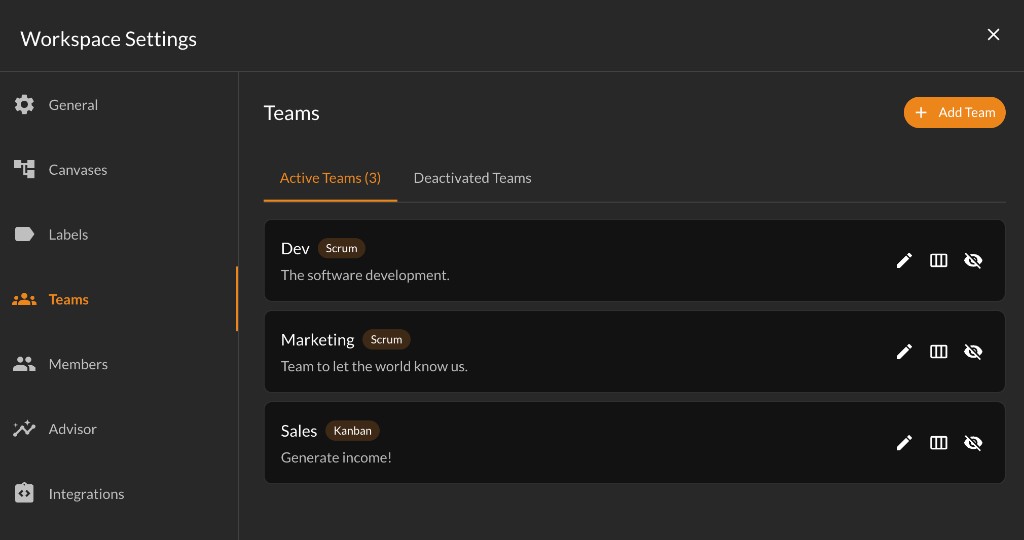
Open Workspace Settings from the workspace menu, go to the Teams tab, and click the board icon on a team row. The Board Settings dialog opens for that team.
New teams start as Kanban. Switch to Scrum when your team plans work in fixed-length iterations (sprints).
Kanban boards
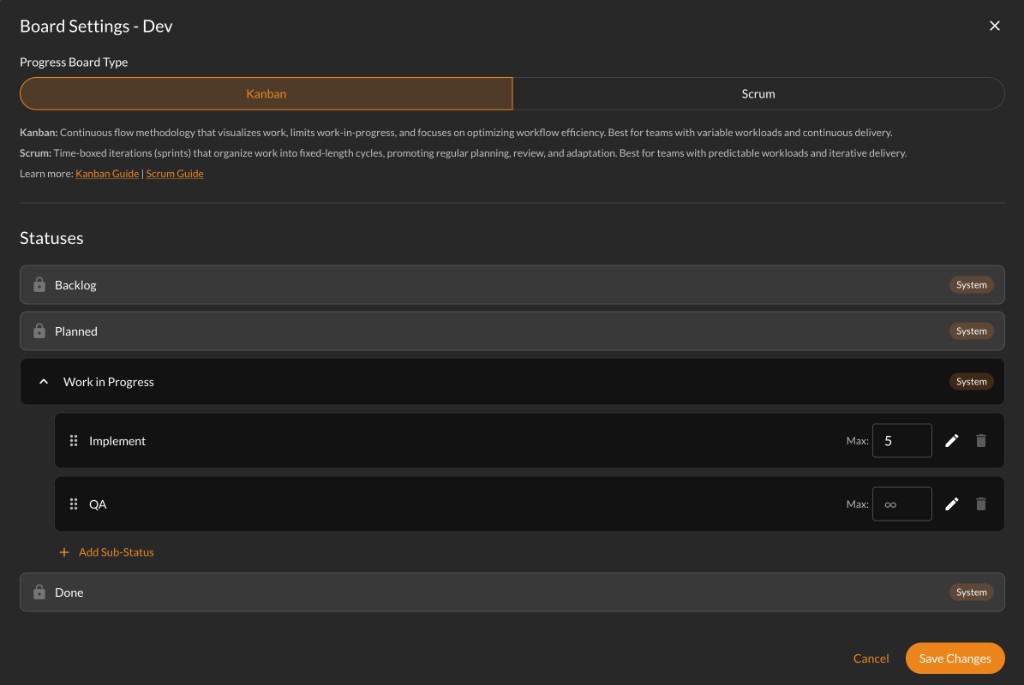
Kanban fits continuous flow: cards move when ready, without tying columns to a sprint calendar.
System columns are Backlog, Planned, Work in Progress, and Done.
Why Planned? Backlog holds work you have not committed to start yet. Planned is for cards you intend to pull into Work in Progress soon. That split keeps grooming separate from active work and matches a typical pull-based Kanban flow.
Under Work in Progress you can add sub-statuses (for example Implement and QA) and optional WIP limits per lane. When a column is at its max, the team board blocks dragging more cards in from elsewhere until work moves out.
Scrum boards
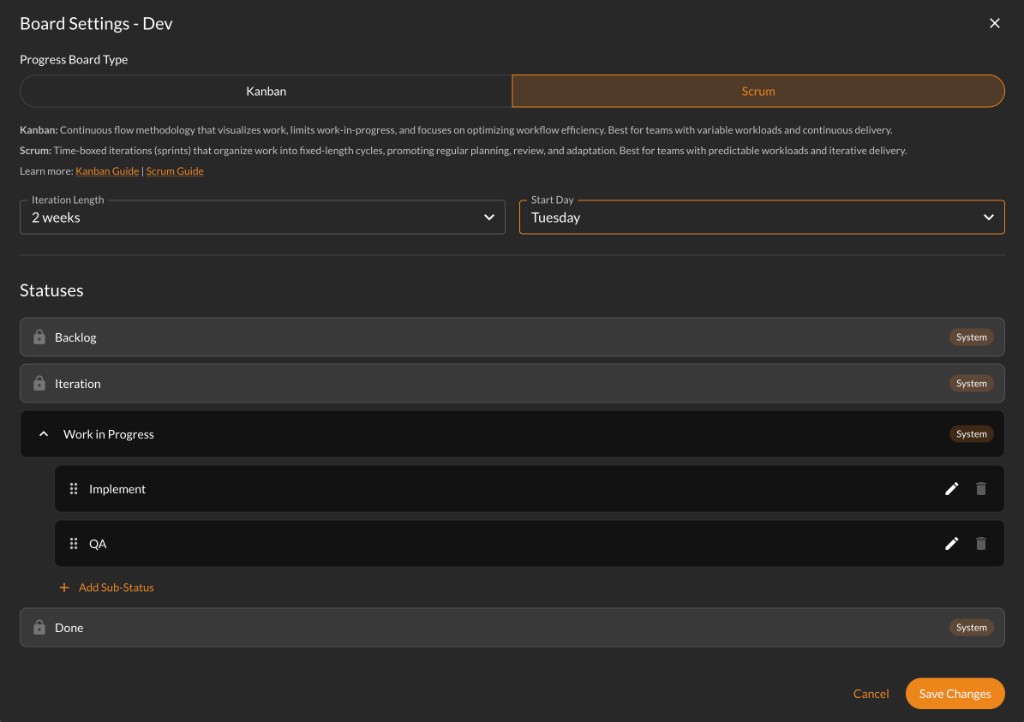
Scrum adds time-boxed iterations. System columns are Backlog, Iteration Backlog, Work in Progress, and Done.
Why Iteration Backlog? That column holds cards assigned to the current iteration (sprint). Backlog is everything not in the active iteration. When you select an iteration on the team board, dragging a card into Iteration Backlog assigns it to that sprint.
Iteration length sets how long each iteration runs (in weeks). Start day is which weekday a new iteration begins. Yirar uses these when generating iteration schedules.
WIP limits are not used on Scrum boards in board settings. After you switch a team to Scrum, open the team board to create the first iteration. See Using the team board for switching iterations and sprint lifecycle actions.
Why system columns are fixed
Rows marked System with a lock icon are required for board logic. Yirar relies on them for drag rules, iteration assignment, and Done handling. They cannot be reordered, renamed, or deleted.
When you toggle Kanban or Scrum in this dialog, the second column label updates between Planned and Iteration Backlog to match the type you selected. Save Changes to apply the board type and column structure to the team.
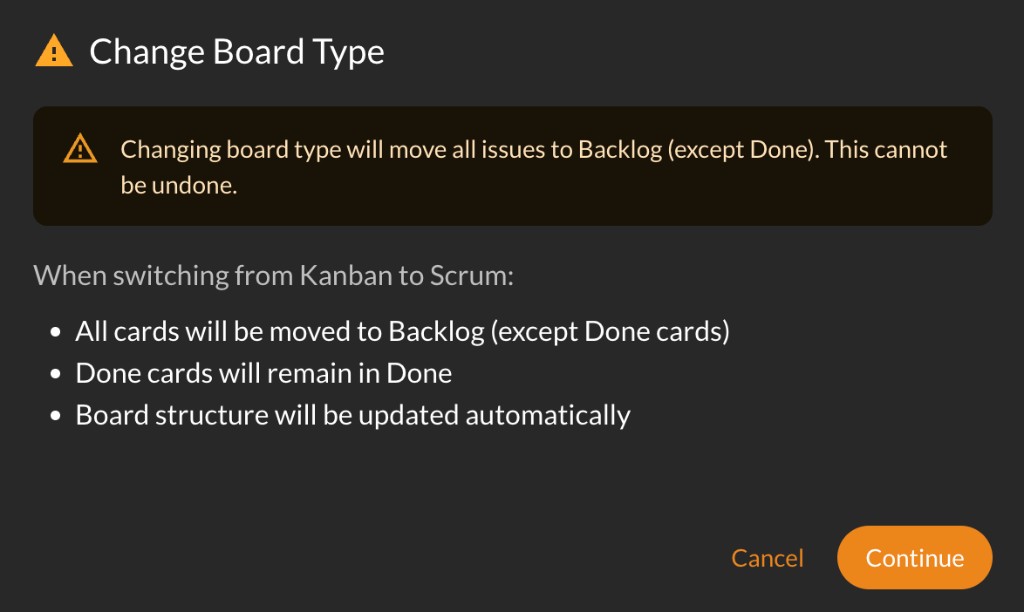
Changing board type moves in-progress cards to Backlog (Done stays Done). Switching from Scrum to Kanban may cancel the current iteration. Read the warning dialog before you confirm.
Save changes
Click Save Changes when you are done. Board structure updates for everyone on that team. Team members see the new columns and limits the next time they open the board.